Packages
Packages let you sell services at a fixed price without writing a quote each time. You build a page of packages — "Launch page, $1,800", "Business site, $4,800", "Care plan, $250/month" — and share its link. A client picks one, agrees to its terms and pays, and Tabulox does the paperwork behind it.
Collections and packages
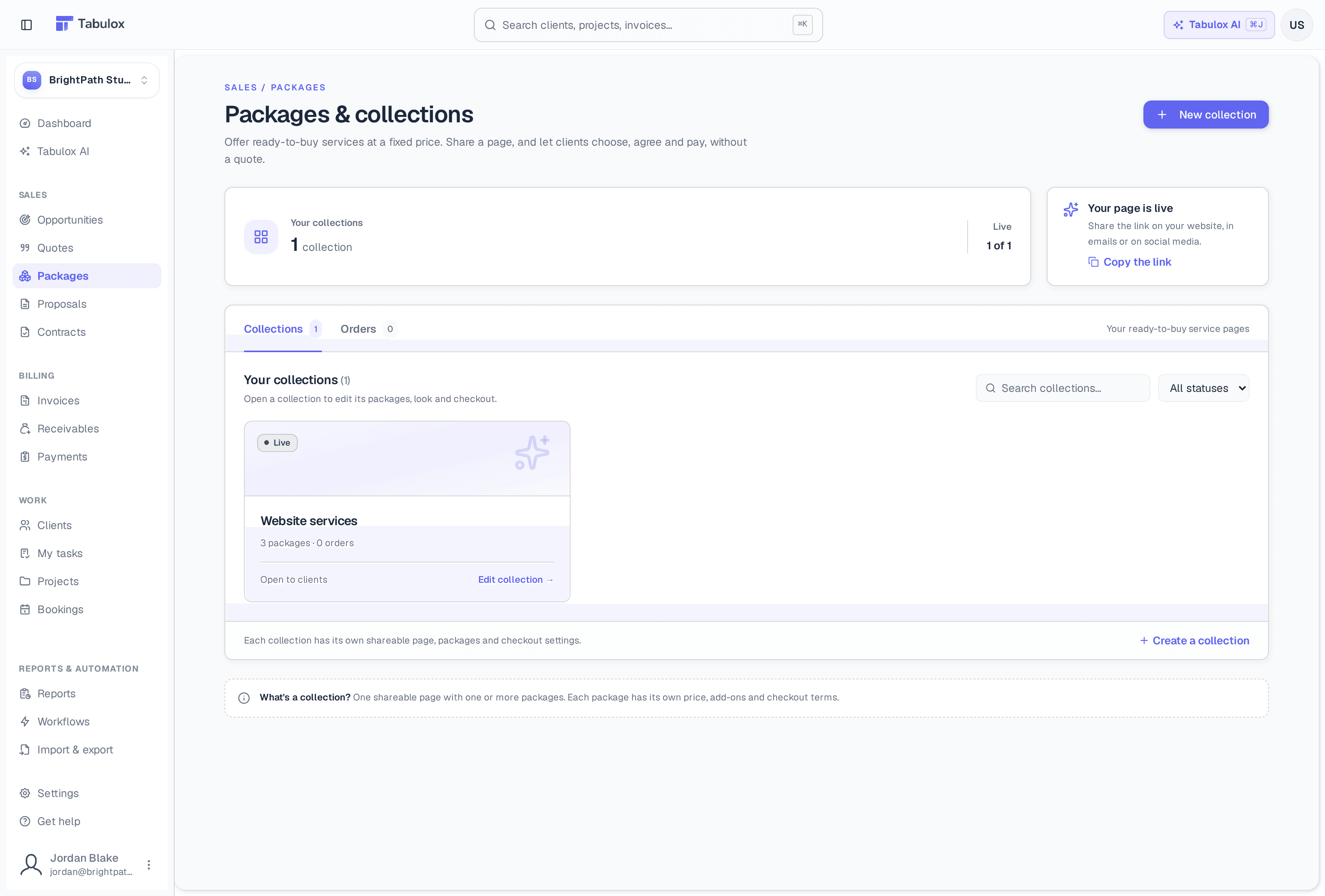
A collection is one shareable page with one or more packages on it (up to 12). Each package has its own price, what's included, optional add-ons, and checkout terms. You might keep one collection for website work and another for brand work.
The Packages page shows how many collections you have and how many are live, with a shortcut to copy a live page's link. Below, the Collections tab has a card for each collection (its status, how many packages and orders), and the Orders tab lists everything clients have bought. Both have search and a status filter.
The Core and Tabulox AI plans include one collection. Pro and Scale can have as many as they like.
Building a collection
Click New collection, give it a name and (optionally) a short description for the page's introduction. The builder opens with a live preview of the page beside it — switch the preview between Desktop, Phone and Checkout.
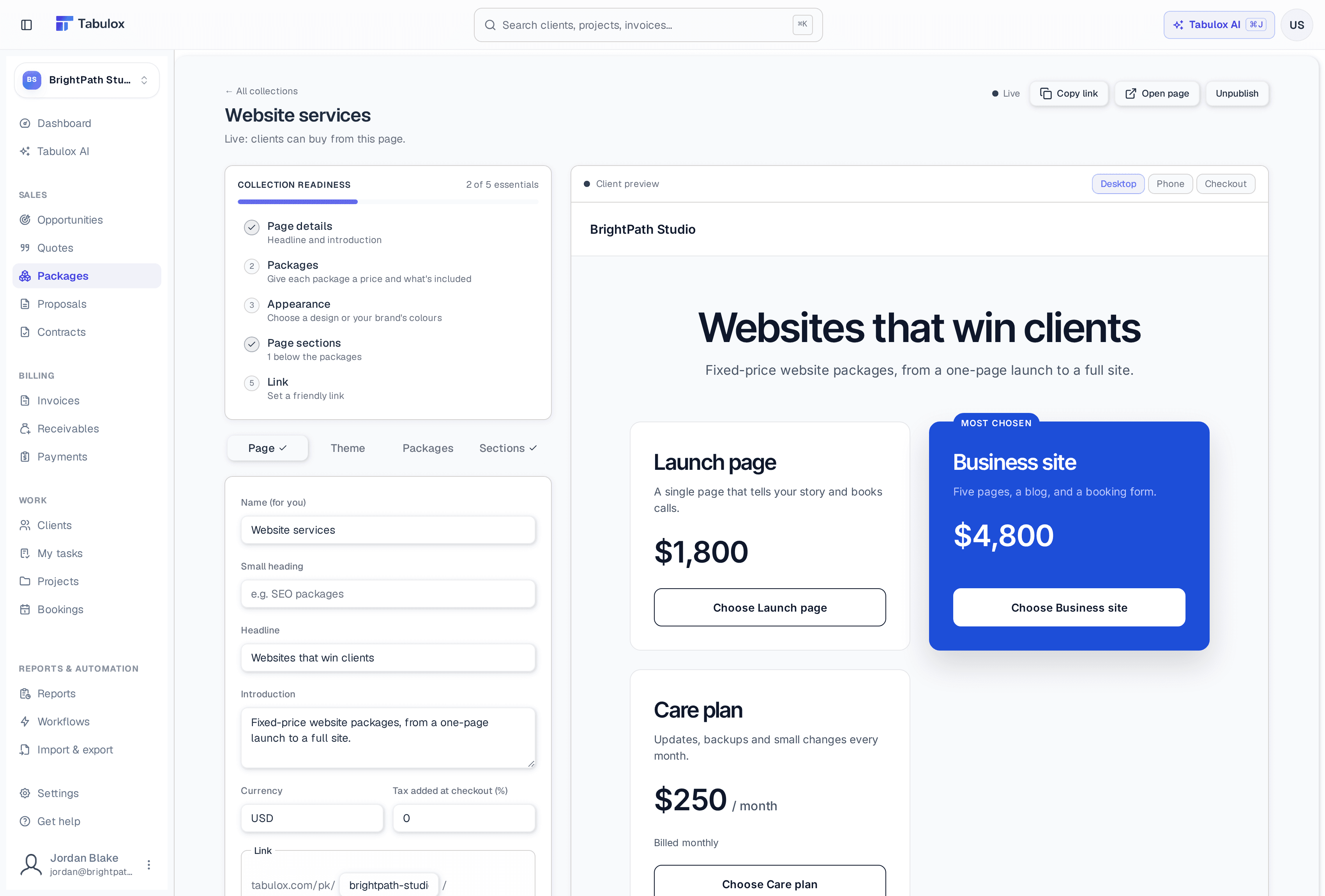
Collection readiness at the top tracks five essentials — page details, packages, appearance, page sections and the link — and ticks each tab as you finish it. The builder has four tabs:
- Page
The name (for you), a small heading, the headline and introduction, currency, tax added at checkout, and the page's link. Collections get a friendly link like
tabulox.com/pk/your-business/website-services, and each package has its own link too. You can also set how the link looks when shared (title, description and image). - Theme
Pick a design or use your brand's colours, choose a hero layout (centred, split, full image or minimal) with a photo from your uploads or the library, and adjust accent and background colours and corners.
- Packages
For each package: name, summary, price, and whether it's paid in full, as a deposit, or monthly. Add what's included, add-ons, terms, an image and gallery, a badge, a longer description, "what happens next" steps, and questions to ask at checkout. Packages can show as cards, as rows, or as a comparison table with a tick for what each one includes. Suggest from my quotes drafts packages from quotes you've already sent.
- Sections
Content below the packages: how it works, text, image and text, testimonials, questions, client logos, a gallery, a guarantee, and a call to action. Add, edit, reorder and remove them.
Publishing
A new collection starts as a Draft. Publish runs a quick checklist
first: it won't publish with no packages or with leftover [placeholder]
text, and it warns about free packages, missing terms or images, and a
missing introduction. Once live, Copy link and Open page are at the
top, and Unpublish takes the page down again.
What clients see
The public page shows your packages in your design, with any sections you added below.
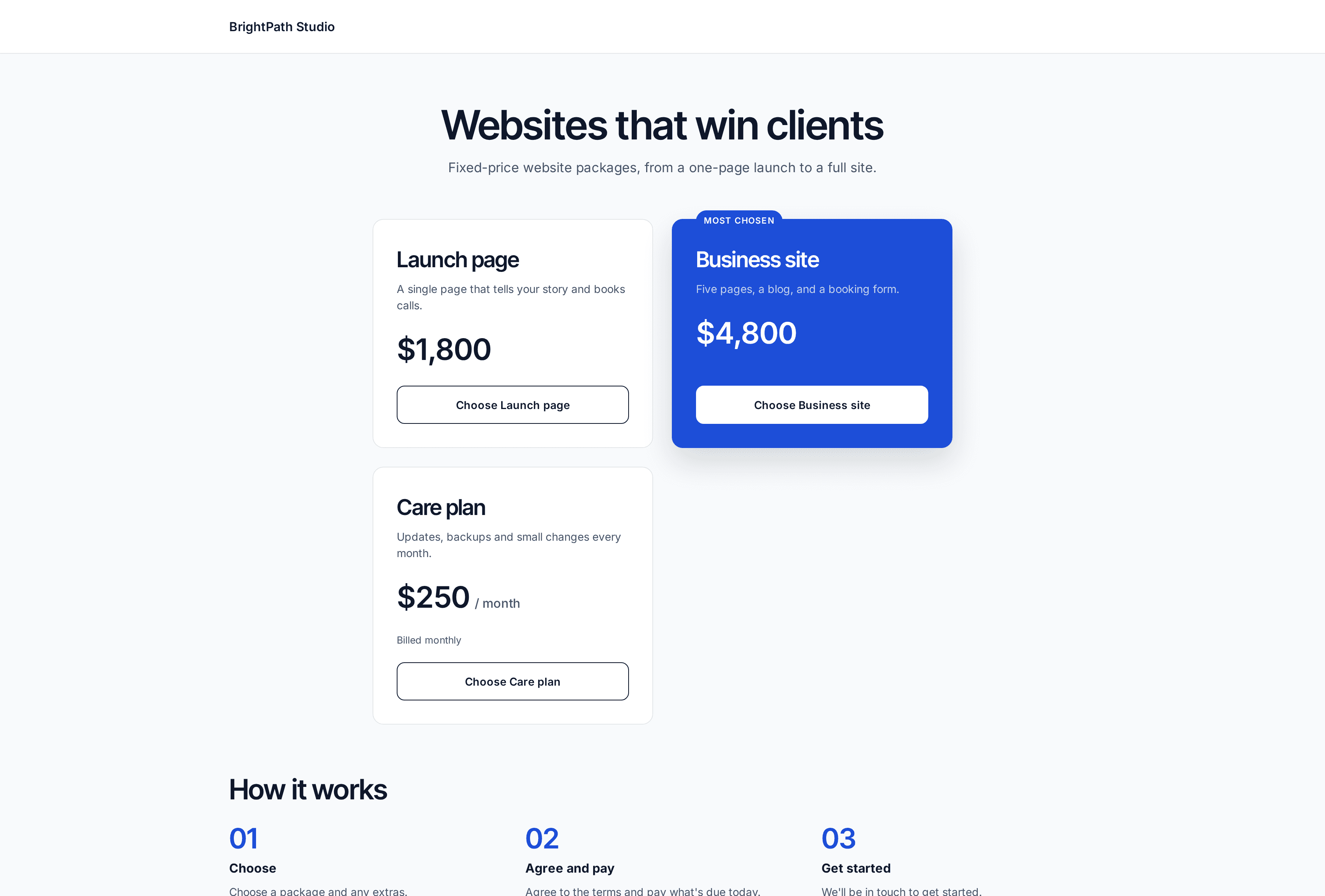
When a client chooses a package, they can add add-ons (and other packages from the same collection, up to five), answer your checkout questions, agree to the terms, and pay. Tabulox then:
- creates the client (or uses the existing one with that email),
- records a won opportunity for the deal,
- saves the order with the client's agreement,
- issues one invoice for everything due now — the full price or the deposit — and opens the pay page (card or bank via Stripe, or your payment instructions if you don't take online payments),
- and emails you that an order came in.
A package can also start a project from one of your project templates, so the work is set up the moment it's bought.
Monthly packages
A monthly package bills itself: the first month at checkout, then a new invoice each month, emailed to the client. If the client saved a card with autopay, it's charged automatically.
Add a Pick a package question to a website form to let inquiries choose a package before they've even talked to you. And Tabulox AI can draft a whole collection for you, written fresh or built from your past quotes — always saved as a draft for you to check and publish.