Client portal
Every other page in these docs is what you see. This one's different — it covers what your clients see when you give them portal access: a simple, branded space for paying invoices, tracking projects, and messaging you, without needing an account on the rest of Tabulox.
Inviting a client
From a client's page (see Clients), open their Contacts
tab and invite a contact to the portal. They get an emailed login link;
clicking it signs them straight in — no password to set up. If a link
expires, they can request a fresh one from /portal/login using the same
email.
Portal access is per contact, not per client — you choose exactly who at a client's business gets in, and can revoke any one person's access without affecting the others.
What clients see
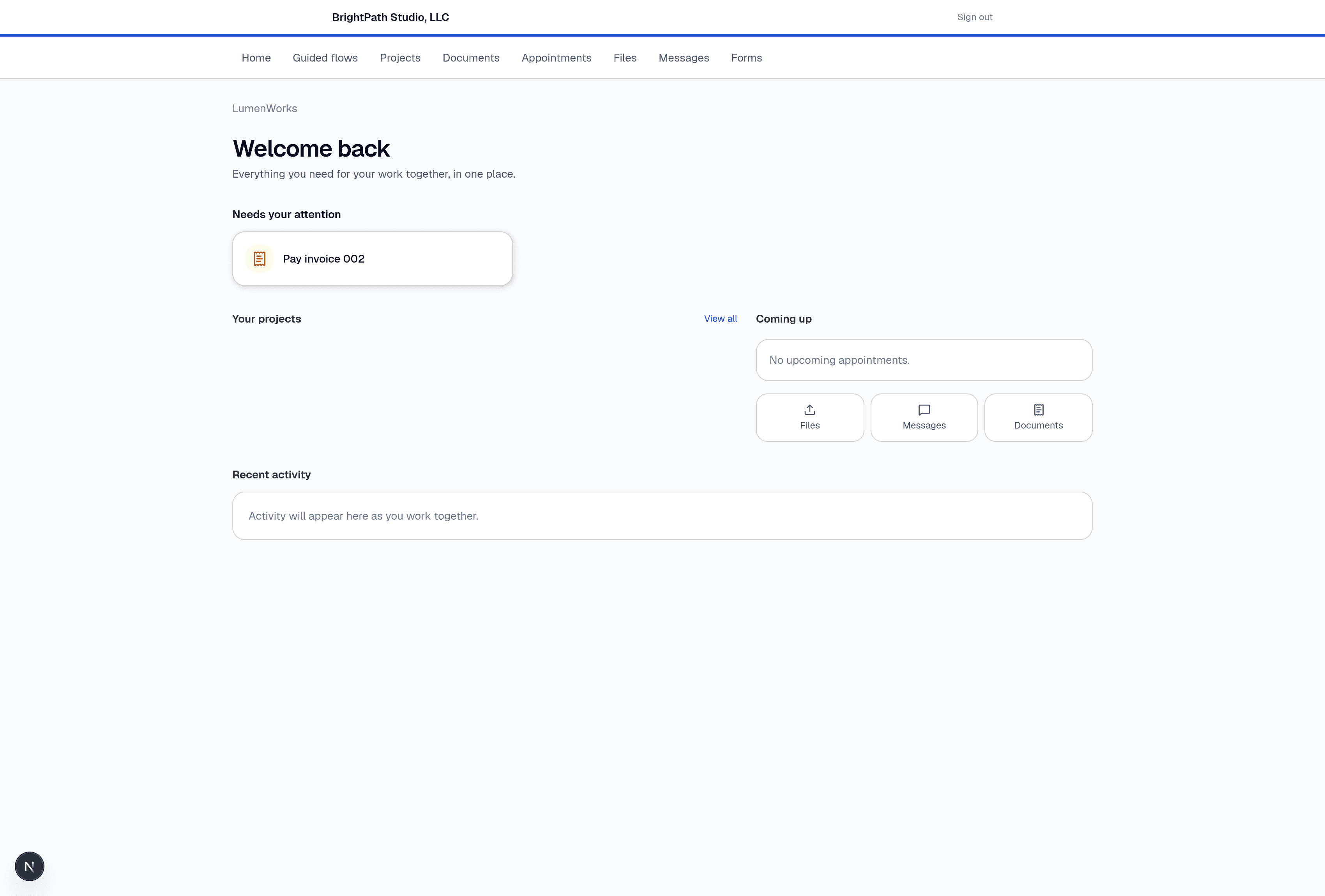
The top of the portal is branded with your business name, and the nav bar gives them their own scoped view of your shared work: Home, Guided flows, Projects, Documents, Appointments, Files, Messages, and Forms.
- Home
A "Welcome back" summary built the same way your own Dashboard is: a Needs your attention card (like "Pay invoice 002") surfaces the one thing they should act on, followed by their open projects, upcoming appointments, and quick links into Files, Messages, and Documents.
- Projects
Read-only visibility into the Projects you're running for them — status and progress, not your internal task management.
- Documents
Quotes, proposals, contracts, and invoices you've sent them, in one list — including the ability to pay an open invoice directly.
- Appointments, Files, Messages, Forms
Anything booked via Bookings, files shared back and forth, a message thread with you, and any forms you've asked them to fill out.
- Guided flows
A structured, step-by-step sequence you can build for a client — for onboarding, intake, or any multi-step process you want to walk them through inside the portal instead of over email.
The portal is intentionally narrow — clients only ever see their own business's data, styled with your branding, with none of the internal pipeline/pricing detail visible on your side of the app.