Payouts & balances
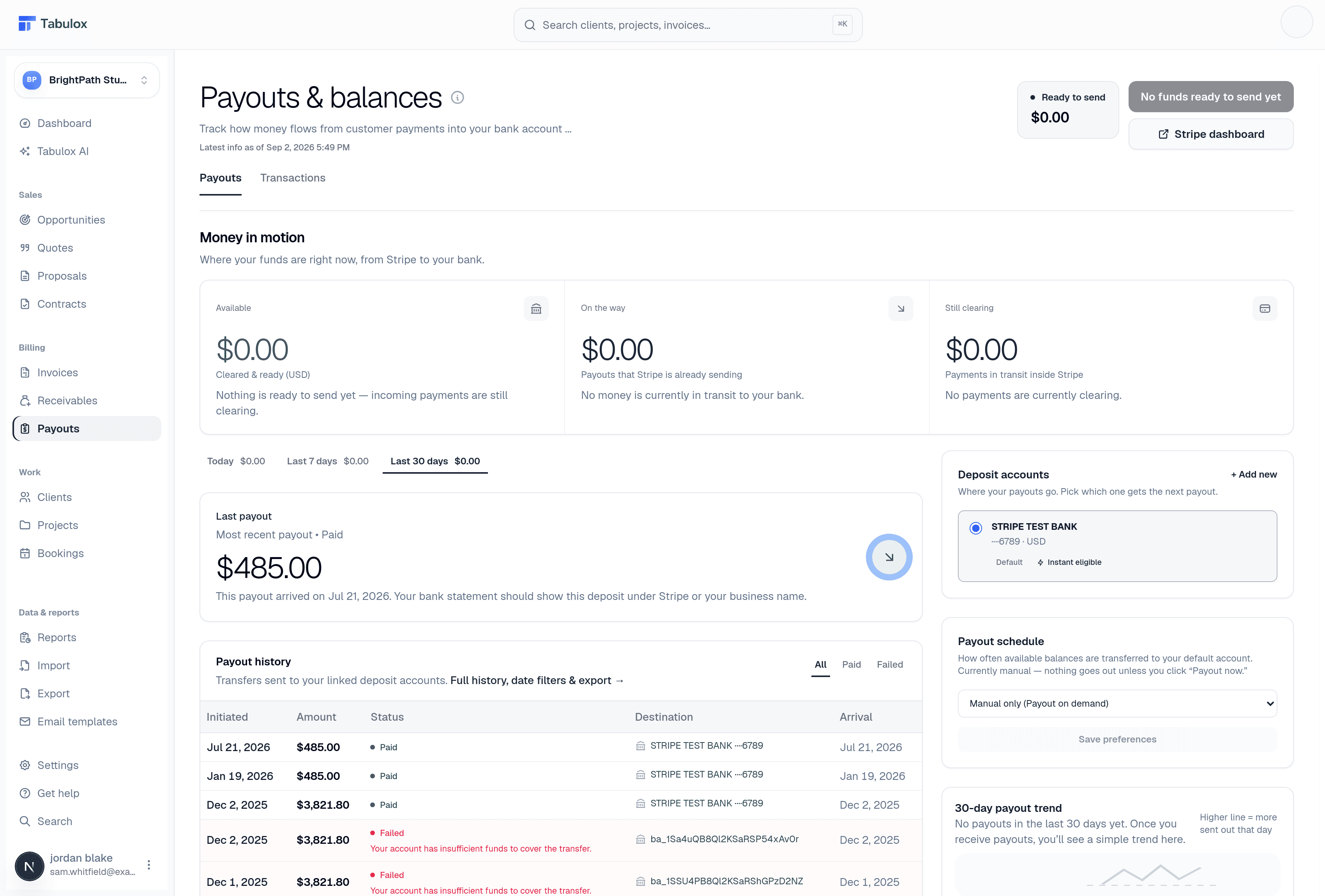
When a client pays an invoice through Stripe, the money doesn't land in your bank account instantly — it clears through Stripe first, then gets paid out to your connected bank account on a schedule. This page is where that whole flow is visible: your current balance, your payout history, and the schedule controlling when money actually moves.
This page needs a connected Stripe account. If your account hasn't completed Stripe onboarding yet, you'll see a prompt to go to Payment & Payout Setup instead of balance data.
Balance summary
Three figures at the top:
- Ready to send now (Available)
Cleared funds Stripe could pay out today.
- On the way to your bank
Payouts Stripe has already initiated but haven't landed yet.
- Still clearing
Payments that have come in but haven't finished clearing inside Stripe — not payable out yet.
Payout schedule
Every connected account starts on manual payouts — nothing goes out until you click Payout now. From this page you can switch to automatic payouts instead, on a daily, weekly (pick the day), or monthly (pick the date) cadence.
If your balance is eligible, you'll also see an Instant payout option — this moves eligible funds to your bank right away for a fee, and Tabulox asks you to confirm before charging it since (unlike a normal payout) it isn't free.
Payout history
A list of past payouts with status, amount, destination bank account, and arrival date — this is Stripe's own payout ledger, not something Tabulox recalculates. If a payout fails, the failure reason from Stripe shows here too.
Bank accounts
Your connected payout destination(s) show with the bank name and last 4 digits of the account number, along with whether that account is eligible for instant payouts.
Payments & transactions
Below the payout controls, a separate section lists every customer payment — across Stripe, PayPal, and anything recorded as paid offline — regardless of whether it's been paid out yet. This is the raw activity feed; the balance and payout sections above are specifically about the Stripe payout side of that same money.
If a number here looks off, check Invoices for the specific invoice and Receivables for anything still outstanding — Payouts only reflects money that's already been collected, not what's still owed.