Projects
Once a deal is won, the work itself moves to Projects — one board per engagement, tracking what's left to do, what's been billed, and whether things are on track.
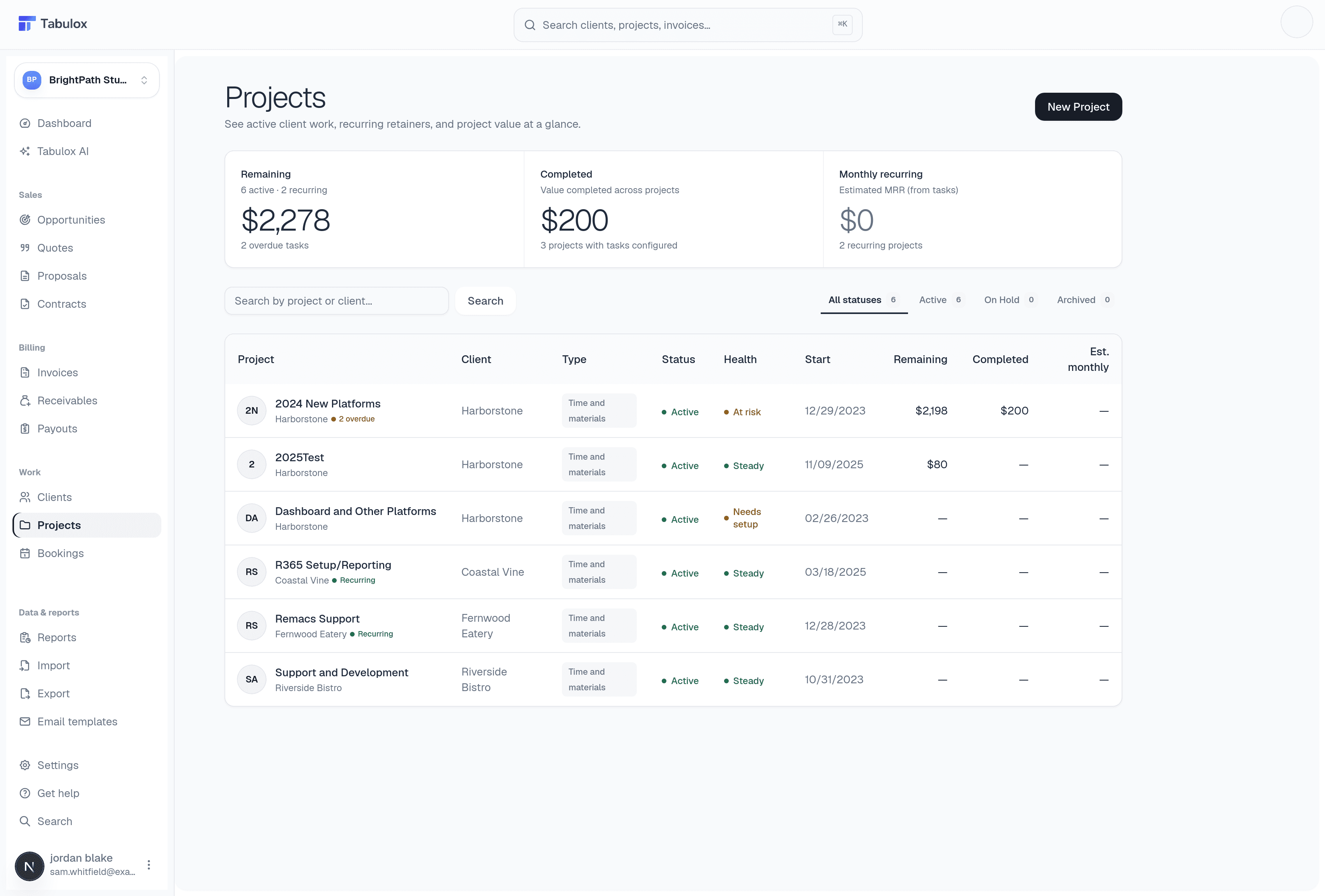
The projects list
Three cards summarize delivery across every project:
- Remaining
Total value of work not yet completed, split by how many projects are active vs. recurring, plus a count of overdue tasks across all of them.
- Completed
Value of work marked done, and how many projects actually have tasks configured (a project with no tasks can't show progress).
- Monthly recurring
Estimated MRR calculated from tasks marked recurring — useful for retainer-style engagements.
The table below lists every project with its client, type (Time and Materials or Fixed Fee), status (Active / On-hold / Completed), and a health flag — Steady, At risk, or Needs setup (meaning it has no tasks yet, so there's nothing to track). Filter by status using the pills above the table, or search by project or client name. Click New Project to start one — pick the client it belongs to and it inherits their billing defaults.
Projects aren't created automatically from won opportunities or accepted quotes/proposals — you create them explicitly once you're ready to start delivery, and attach them to the client.
Creating a project
New Project walks through identity first, then how the task list gets seeded:
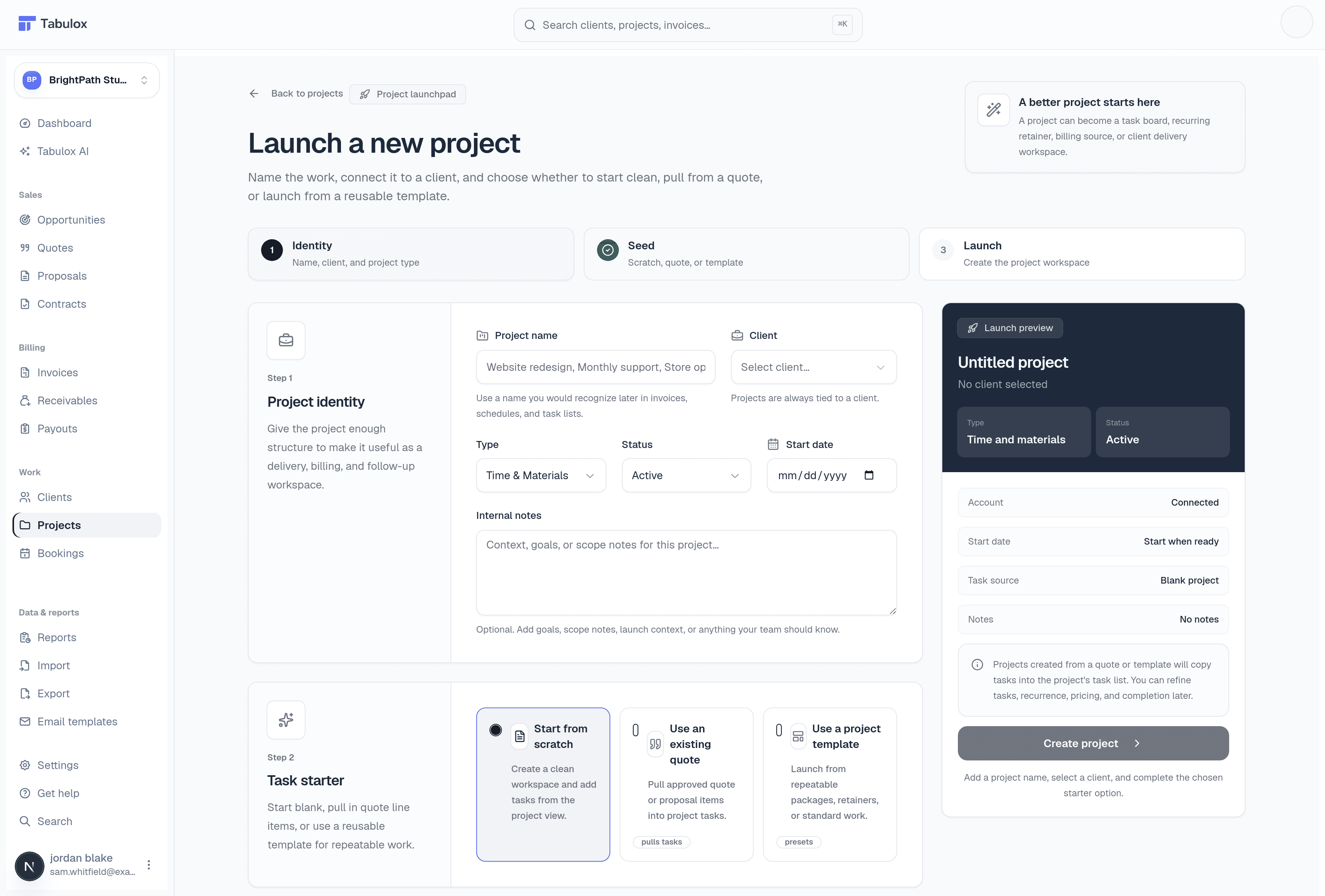
- Project identity
Project name, the client it belongs to (projects are always tied to a client), type (Time & Materials or Fixed Fee), status, start date, and optional internal notes.
- Seed the task list
Choose how tasks get populated: start from scratch (a clean board), use an existing quote (copies its line items in as tasks), or use a project template (a reusable, account-wide task structure).
- Launch
The preview panel on the right mirrors exactly what you're about to create — review it, then Create Project.
Starting from a quote is the fastest way to get delivery moving on won work — the priced line items become your initial task list instead of you re-typing scope you already wrote once.
Inside a project
Open any project and you get a task board organized into sections and phases — group work however makes sense for that engagement (e.g. by deliverable, by sprint) — with drag-and-drop status changes via a Kanban view. Each task can carry a quantity, price, and an invoiceable flag, so when it's time to bill you're pulling from real, already-tracked line items rather than reconstructing them from memory.
Marking a task recurring and invoiceable is what feeds the "Monthly recurring" number on the list page — set it once per retainer task, not per billing cycle.
Projects also support milestones, risk/issue tracking, and a client-facing project update you can send — a snapshot of progress with its own shareable link, separate from the full client portal (docs coming soon).