Receivables
Receivables is the one list of everything you're owed — every open invoice across every client, in one table, sorted by how urgent it is. Where Invoices is where documents get created and sent, Receivables is where you actually work the outstanding list: filter by how overdue something is, and follow up in bulk.
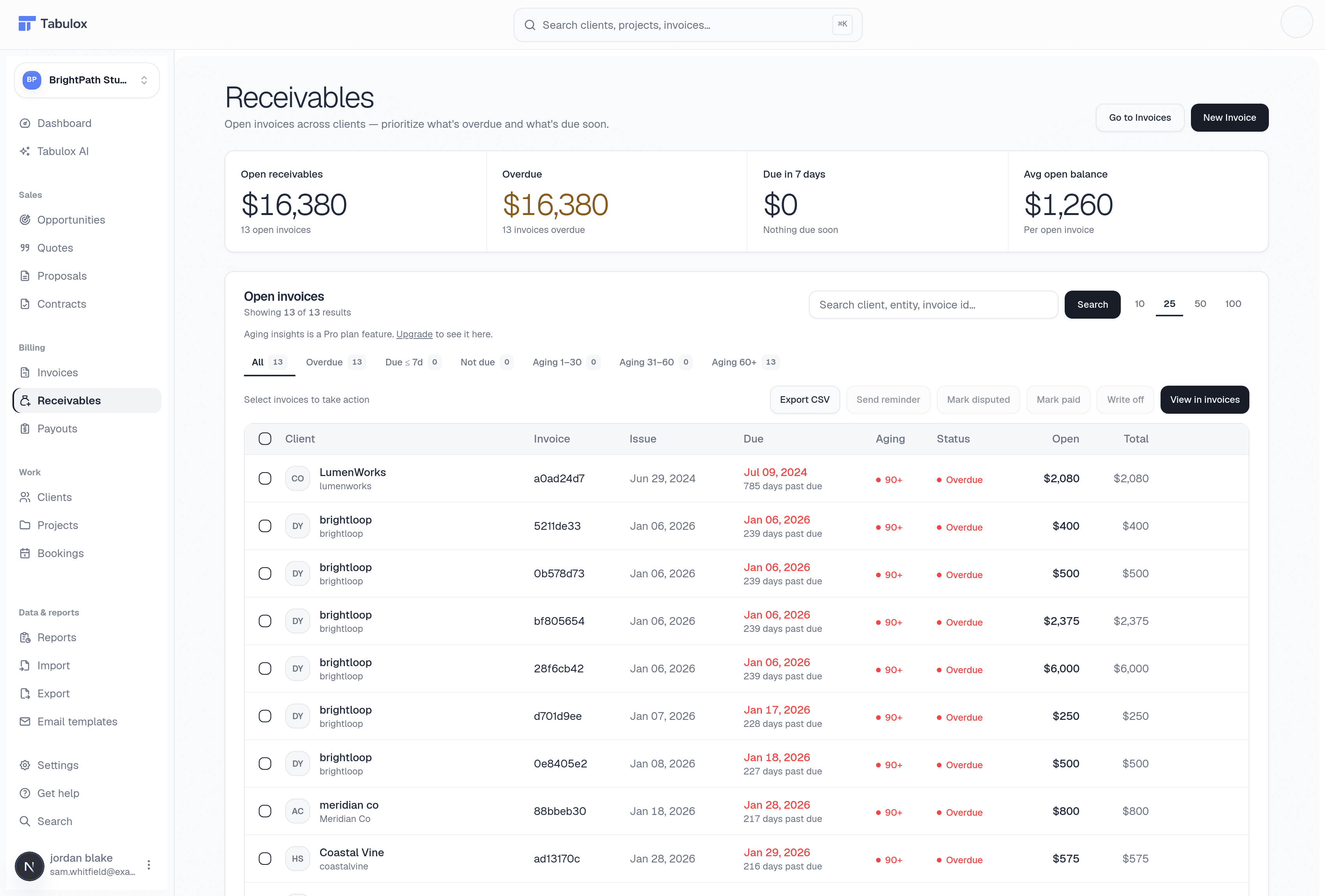
Stage tabs
Across the top of the table: All, Overdue, Due ≤ 7d, Not due, and a set of aging buckets — Aging 1–30, 31–60, 60+ — each with a live count. Selecting one filters the table instantly; the currently selected tab is highlighted.
Aging insights — the visual breakdown of how much is stuck in each aging bucket — is a Pro-plan feature. On lower plans you'll see an upgrade prompt in its place instead of the chart; everything else on this page (the table, filters, and bulk actions) works regardless of plan.
Search and page size
A search box (client, entity, or invoice ID) and a row-count selector (10 / 25 / 50 / 100) sit above the table, next to the stage tabs.
Bulk actions
Select one or more rows with the checkboxes and a "Select invoices to take action" bar activates with:
- Export CSV
Download the selected rows as a spreadsheet.
- Send reminder
Email a payment reminder to the client(s) on the selected invoices — useful for nudging several overdue accounts at once instead of opening each invoice individually.
- Mark disputed
Flag an invoice as disputed so it's clearly called out while you sort out a disagreement with the client.
- Mark paid
Record payment outside the normal Stripe flow — same "mark paid" behavior as on the Invoices page, just available for multiple invoices at once. Asks for confirmation first.
- Write off
Close out an invoice you don't expect to collect on, so it stops counting against your outstanding total. Also asks for confirmation — this doesn't refund or cancel the invoice, it just marks it settled for reporting purposes.
There's also a View in invoices action to jump the selected rows over to the full Invoices table if you need the rest of that page's tools (editing, duplicating, etc.) — Receivables intentionally keeps its own row actions limited to the ones you actually need for collections.
Mark paid and Write off are also available per-row, not just in bulk — look for the smaller action menu on an individual row if you only need to handle one invoice.